How to Set Up and Use a VPN on Your iPhone: A Practical Guide
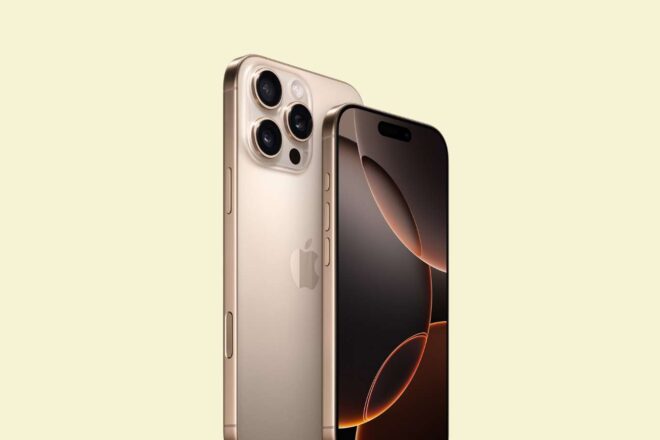
Setting up and operating a VPN on your iPhone is a straightforward process that helps protect your privacy and secure your internet connection. This practical guide walks you through each step, ensuring safe and private browsing from your Apple device.
Tl;dr
- VPNs protect your privacy on iPhone devices.
- Free VPNs often compromise user data and security.
- Setup is simple, boosting both safety and online freedom.
The Hidden Risks of Everyday iPhone Use
For many, the iPhone has become an irreplaceable digital companion—handling everything from emails to binge-watching shows or late-night shopping. Yet, beneath this seamless convenience lies a less talked-about vulnerability. By default, your mobile carrier or Internet Service Provider (ISP) can effortlessly track every website you visit. So, despite the device’s reputation for security, your privacy may be far more exposed than you imagine.
Selecting a Reliable VPN: The Pitfalls of Free Services
While some users assume that features like iCloud Private Relay provide comprehensive protection, these tools only go so far. In reality, Apple’s built-in solutions are limited: iCloud Private Relay offers partial privacy enhancements but falls short of replicating the full capabilities of a dedicated VPN. Even browsing in incognito mode on Safari does little to prevent your ISP from monitoring your activity—a common misconception.
Choosing a trustworthy commercial service becomes crucial at this point. However, caution is advised: most free VPNs raise significant red flags. Instead of safeguarding your information, many monetize your browsing habits by selling data to advertisers—ironically undermining the very principle of a VPN. It is usually wiser to opt for a reputable paid provider. Still, some well-known names—like Proton VPN, which grants access to five global locations without charge—offer trial periods or restricted free versions that might meet basic needs.
Straightforward Setup and Daily Use
Fortunately, installing a VPN on an iPhone is refreshingly straightforward via the App Store. After choosing and downloading the app, users typically subscribe within the application itself—a process streamlined by Apple’s ecosystem. Connecting involves little more than picking a server (country or city) and tapping « connecter ». For those inclined towards customization, advanced settings such as protocol selection or auto-connect options can be adjusted.
To ensure proper operation, two quick checks are recommended:
Try accessing geo-restricted content—for example, Netflix catalogs—across different countries; noticeable changes confirm the VPN’s effectiveness.
Special Cases: Work and School VPN Requirements
Occasionally, organizations such as companies or educational institutions mandate their own dedicated VPN infrastructure. In these scenarios, there’s generally no need to install an additional app; instead, required connection details are entered manually within iOS’s « VPN & Device Management » section.
Ultimately, adopting a VPN on your iPhone brings tangible benefits: enhanced privacy online and greater freedom to explore content across borders. For anyone seeking straightforward data protection in daily life—without technical headaches—it has quietly become an essential digital reflex.