How to Use Apple Cash’s New ‘Tap to Cash’ Feature on iOS 18?
Use your phone to easily carry out financial transactions.
Apple Cash Introduces Tap to Cash for Simplified Transactions
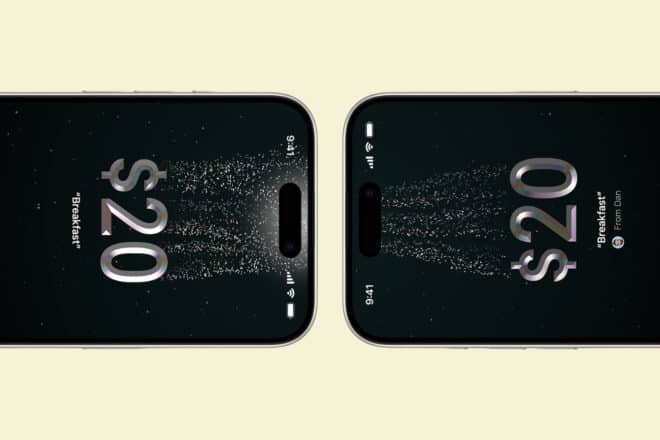
Apple Cash, the payment app from the tech giant, has launched a new feature, Tap to Cash. This allows iPhone and Apple Watch users to make in-person payments effortlessly while keeping personal details like phone numbers and email addresses private during transactions.
Requirements for Using Tap to Cash
To use Tap to Cash, certain conditions must be met. Both parties in the transaction need to have an iPhone updated to iOS 18 or an Apple Watch on watchOS 11. Additionally, a verified Apple Cash account is necessary. Cellular data can be used if no Wi-Fi connection is available.
The Tap to Cash feature also includes financial limits: users can send or receive up to $2000 over a seven-day period. Transactions can range from $1 to $2000. For amounts exceeding this limit, users must proceed through the Messages app. Currently, this feature is only available in the United States.
How to Use Tap to Cash?
On the iPhone, users should open the Wallet app, select their Apple Cash card, and choose “Send or Request” followed by “Tap to Cash.” Enter the payment amount and add a note if needed. Confirm the payment and bring the top of the iPhone close to the recipient’s iPhone or Apple Watch to complete the transaction.
The process is similar on the Apple Watch. Open the wallet, select the Apple Cash card, and choose “Tap to Cash.” Enter the desired amount and initiate the transaction by double-clicking the side button. Bring the watch near the recipient’s device to finalize the transaction.
To verify the transaction, open the Wallet app, tap on the Apple Cash card, and check “Recent Transactions” where the Tap to Cash icon should appear next to the transaction.