iOS 26 Beta 2: Key Features Unveiled for Your iPhone
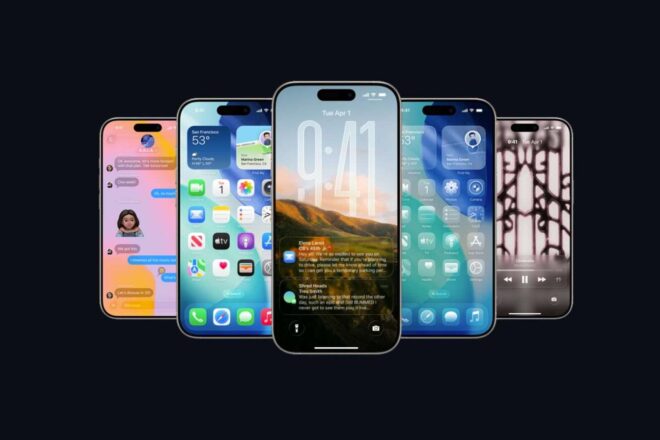
Apple has rolled out the second beta version of iOS 26, introducing a range of significant updates and features for iPhone users. This latest release promises notable improvements, enhancing the overall user experience and bringing fresh functionality to compatible devices.
Tl;dr
Accessibility and Visual Refinements Take Center Stage
With its latest developer release, Apple’s forthcoming iOS 26 appears increasingly shaped by an emphasis on accessibility and visual comfort. The update, expected this autumn, offers more precise controls over the controversial Liquid Glass effect—a design feature criticized for excessive transparency that had previously hindered menu readability. In response to user feedback, the Control Center now benefits from reduced blur, allowing for clearer distinctions between on-screen elements. Additionally, users will find a new accessibility option to further tone down these visual effects, directly addressing those who have voiced concerns about eye strain.
App Store Transparency and Practical Upgrades
One particularly noteworthy move: the introduction of a dedicated « Accessibilité » section within the App Store. Here, app developers are now required to disclose which accessibility features their products offer—information that is available before installation. This initiative, which aligns with an inclusivity strategy laid out by Apple earlier this year, promises to make it significantly easier for users with specific needs to make informed choices.
Turning to practical improvements, the long-anticipated Recovery Assistant finally makes its official appearance. Referenced clearly in this beta version, it’s designed to help diagnose and resolve startup issues on devices—no immediate trip to a service center or connection to a computer necessary. Many users who have experienced unexpected malfunctions may well appreciate such autonomy.
Other refinements round out the update:
User Experience Tweaks: Safari and Wallet Improvements
Another subtle yet telling change comes to Safari: after a brief experiment with new tab placement at the top of the screen, the button returns to its traditional home in the lower left—an adjustment certain to please long-time browser users accustomed to muscle memory navigation.
In parallel, order tracking through Apple Wallet becomes markedly smoother. Now empowered by Siri, users can automatically retrieve shipping details from their email inbox—even if a purchase wasn’t made using Apple Pay. For many, this could remove friction from everyday online shopping routines.
Bigger Rollout Looms Amid Caution
While the current beta targets developers primarily, anyone with an Apple ID can technically install it—though experts advise limiting experimentation to secondary devices. Compatibility spans from iPhone 11 up through current models; however, some headline features require handsets equipped with Apple Intelligence. With a broader public beta expected in July, most observers recommend holding off until then for a more polished experience.